Click any screenshot to enlarge
DrillsForge is the enterprise platform for running realistic tabletop exercises. Simulate cyber incidents, physical security breaches, workplace violence scenarios, and crisis situations — all in a collaborative, real-time environment.
Start Now! See How It Works
Click any screenshot to enlarge
Why "DrillsForge"?
Drills — as in tabletop exercise drills: the structured, repeatable practice sessions that prepare security teams for real-world incidents. Forge — as in a foundry or workshop: the place where raw skill is heated, hammered, and hardened into expertise. Together, DrillsForge is where teams come to sharpen their crisis response through deliberate, realistic practice.
From scenario design to after-action review — DrillsForge has it covered.
25+ ready-to-run scenarios spanning cyber incidents, physical security breaches, workplace violence, executive protection, and crisis management. Or create your own.
Live inject delivery with timed events, branch points, and dynamic difficulty. Participants receive scenario events in real time via server-sent events (SSE).
A built-in LLM analyses every participant response and generates realistic follow-up events in real time — escalating situations when decisions fall short, and introducing new challenges when the team responds well. The AI also auto-generates full scenario inject sets with scoring rules, so facilitators can build exercises in seconds instead of hours.
Built-in scoring engine evaluates response timeliness, decision quality, and task completion. Facilitators can override scores with justification.
Comprehensive post-exercise reports with timeline visualization, scoring breakdown, participant performance, and AI-generated recommendations.
Optional seamless login experience with Azure AD (Entra ID) or Google Workspace. Auto-provision users from your corporate directory with role-based access control.
Assign participants to scenario-specific roles (Incident Commander, SOC Analyst, Legal Counsel) with role-targeted inject delivery.
Each department gets its own isolated workspace with independent users, scenarios, and exercises. Perfect for large enterprises.
Every action logged with timestamps, IP addresses, and user attribution. Complete accountability for compliance requirements.
Walk through the full exercise lifecycle — from scenario selection to after-action review.
Choose from 25+ professionally designed scenarios covering cyber incidents, physical security breaches, workplace violence, executive protection, and crisis management. Each scenario is fully configured with timed injects, role assignments, and scoring criteria.
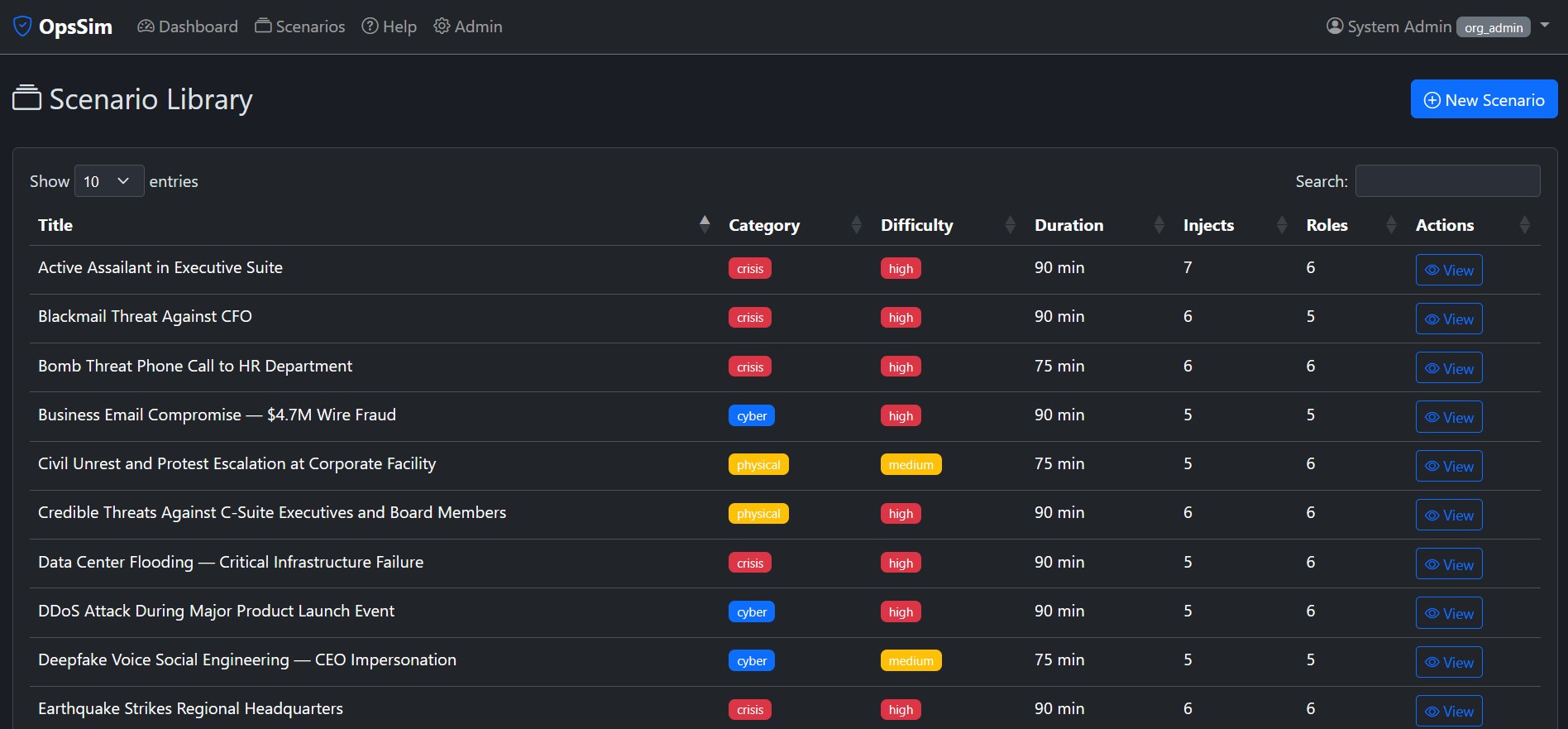
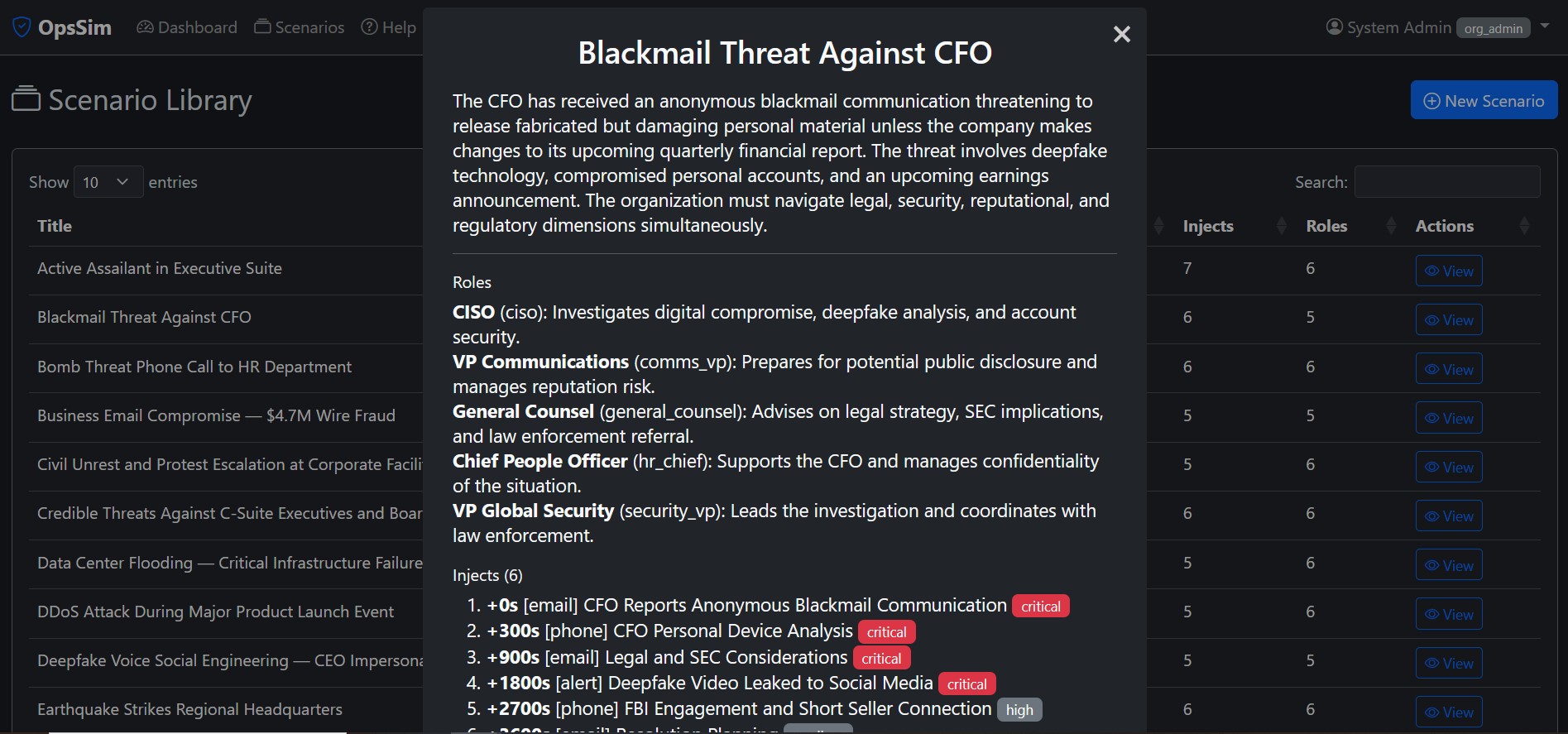
Drill into any scenario to see its full structure — injects with timing and severity, role definitions, difficulty settings, and expected duration. Facilitators see everything upfront so they can tailor the exercise to their team's needs.
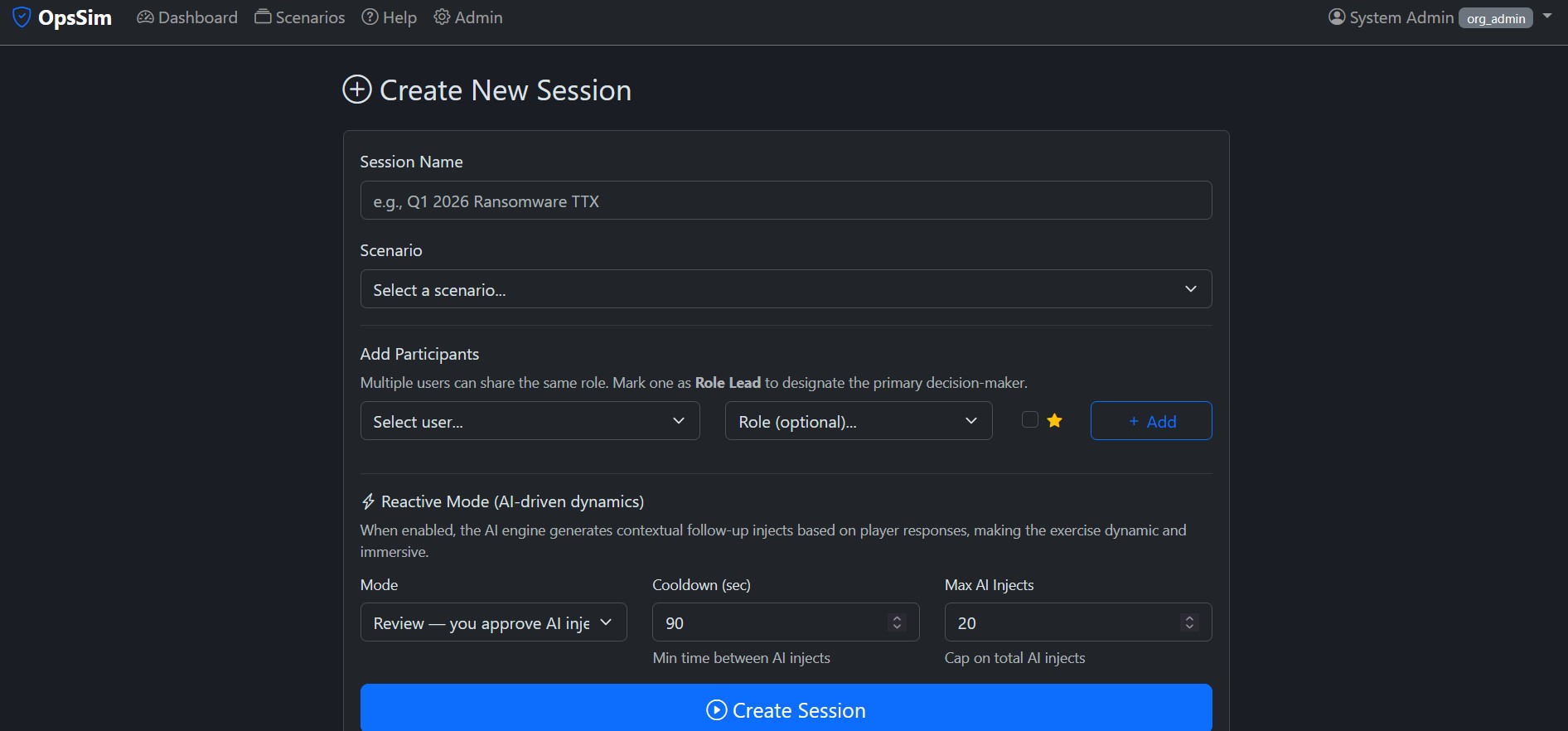
Create a new exercise session in seconds. Choose your scenario, assign participants to their roles, adjust difficulty settings, and you're ready to go. The setup is intentionally streamlined — a facilitator can go from zero to running in under a minute.
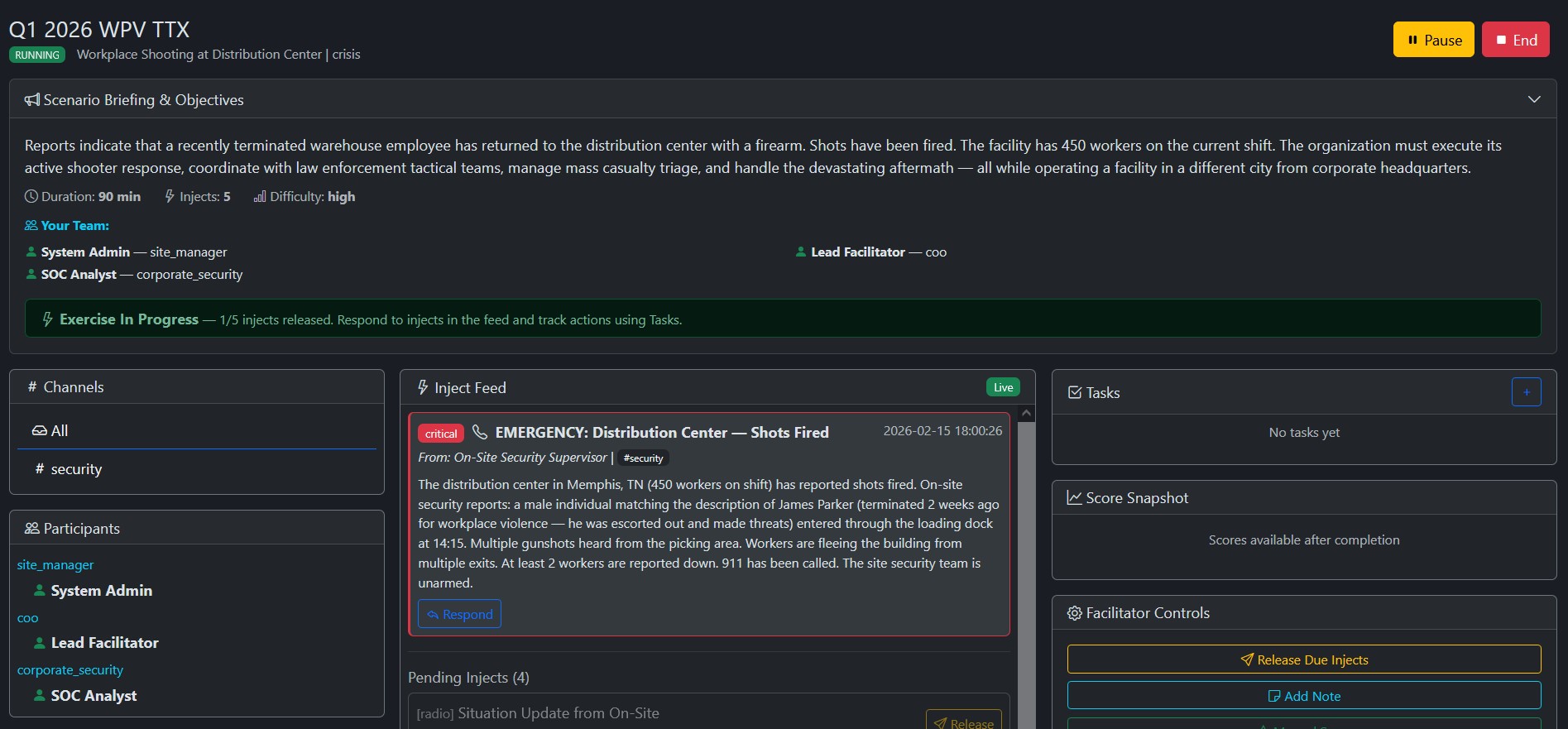
Once the session starts, injects fire in real time via server-sent events (SSE). Participants see scenario events appear on their screens — critical alerts, emails, phone calls, and intelligence reports — delivered at precisely timed intervals to build pressure and test decision-making.
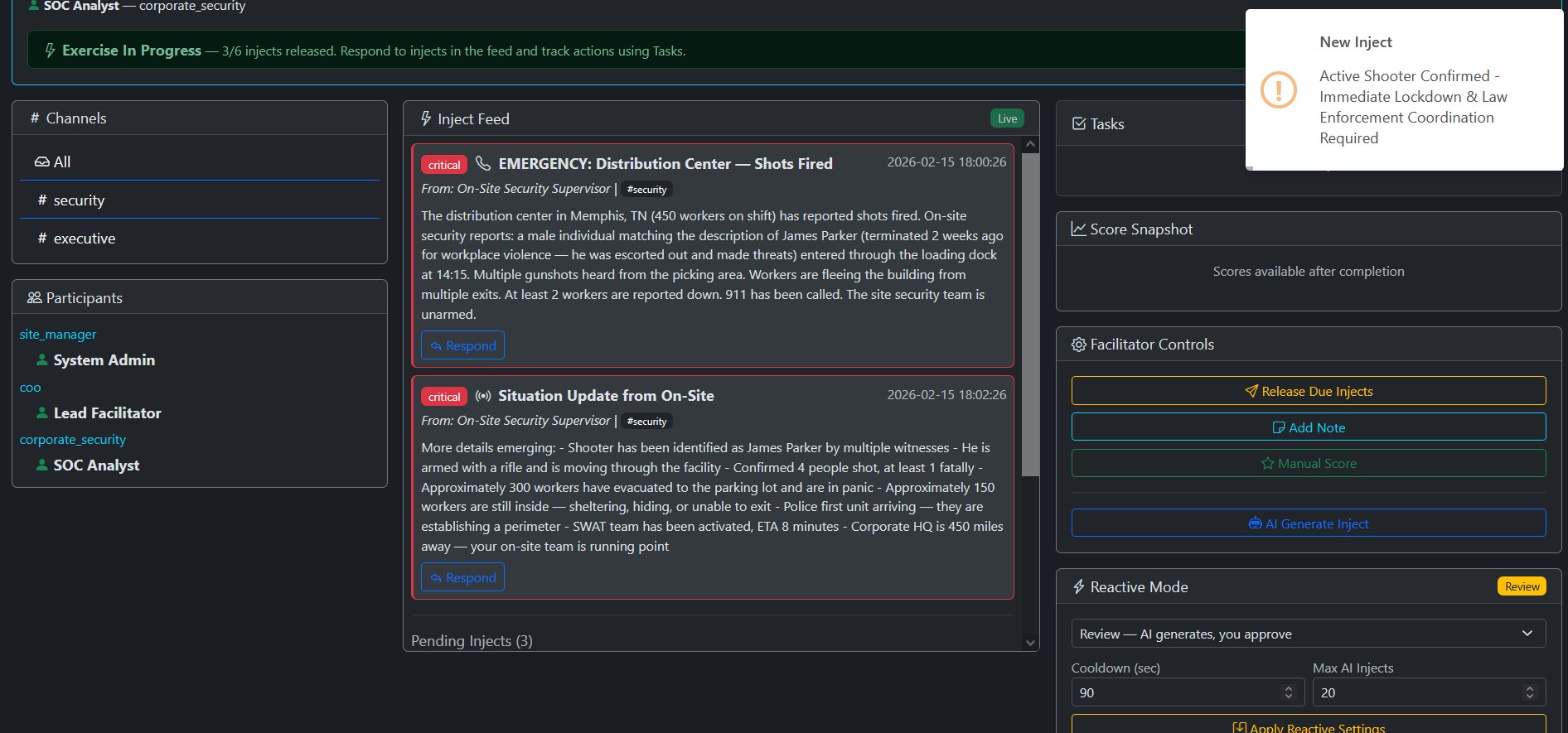
This is what sets DrillsForge apart. The built-in LLM engine reads every participant response and generates realistic follow-up events in real time. Made the wrong call? Expect escalating alerts — media inquiries, regulatory notifications, or cascading system failures. Responded well? The AI introduces new complications that push your team's skills further. No two exercises ever play out the same way.
The AI also accelerates scenario creation: facilitators can generate a full set of timed injects with scoring rules in seconds, then fine-tune as needed. It even writes the executive summary and improvement recommendations in the After-Action Report.
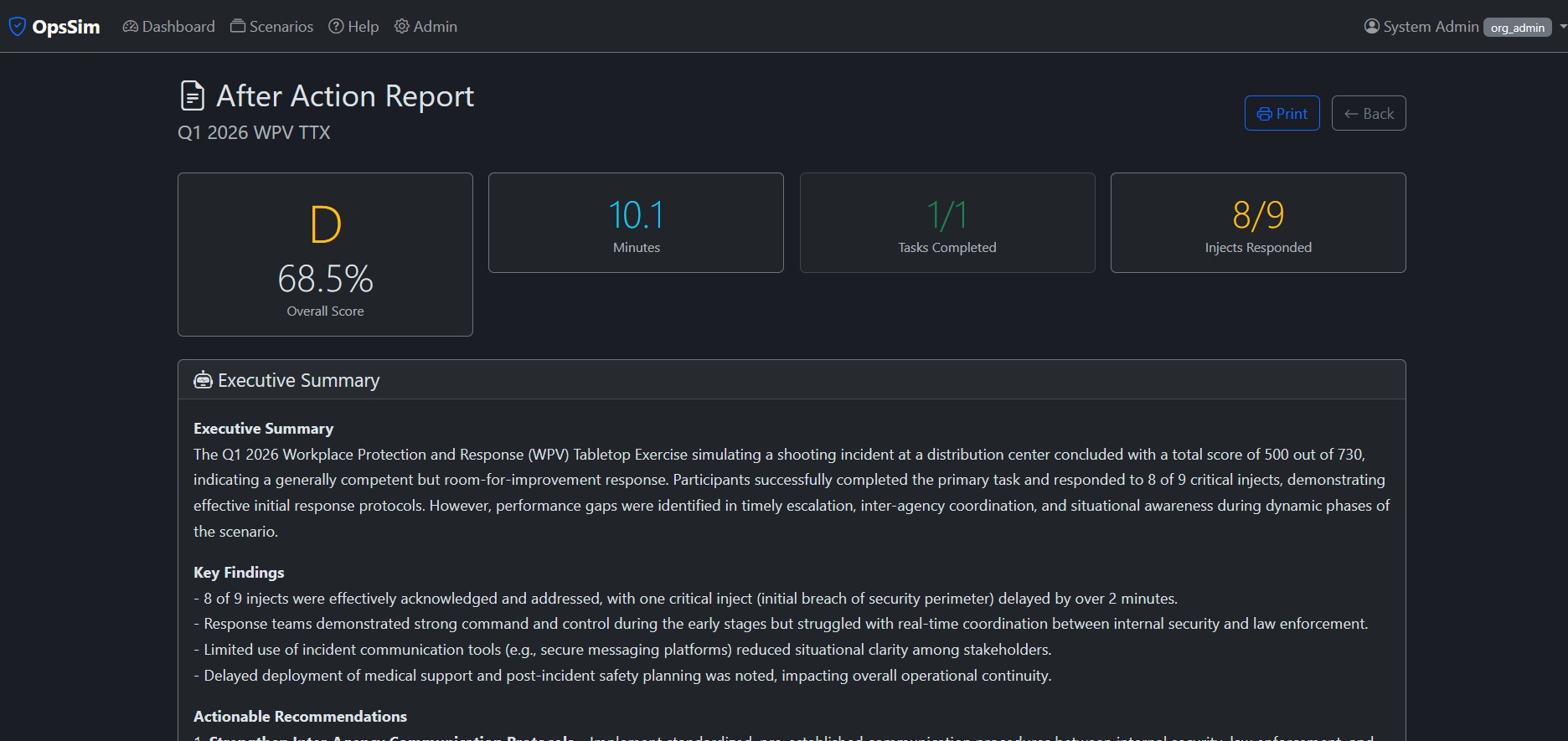
When the exercise concludes, DrillsForge generates a comprehensive after-action report. Review the full timeline, scoring breakdown per inject, participant performance, and AI-generated recommendations for improvement. Print it, share it, or use it for compliance documentation.
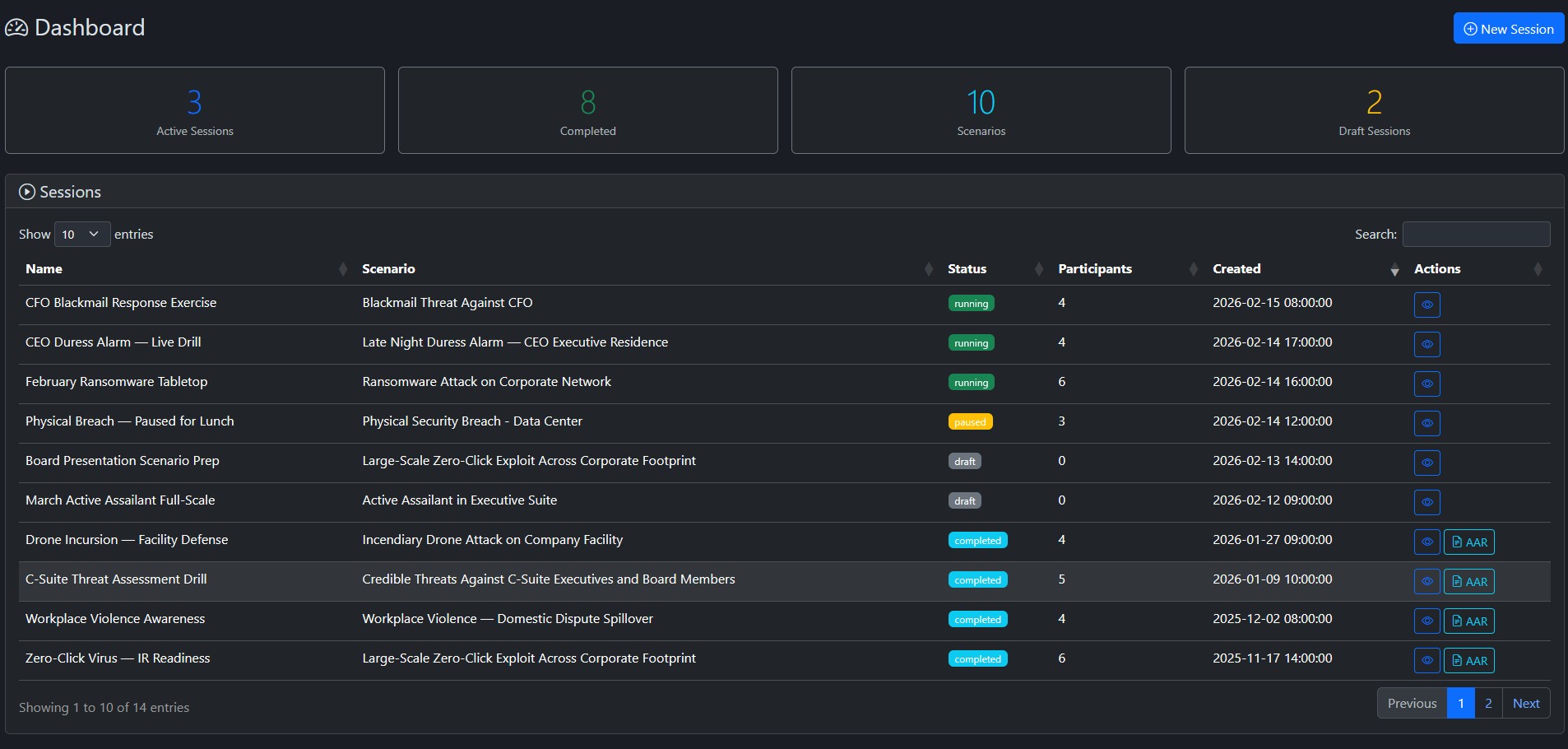
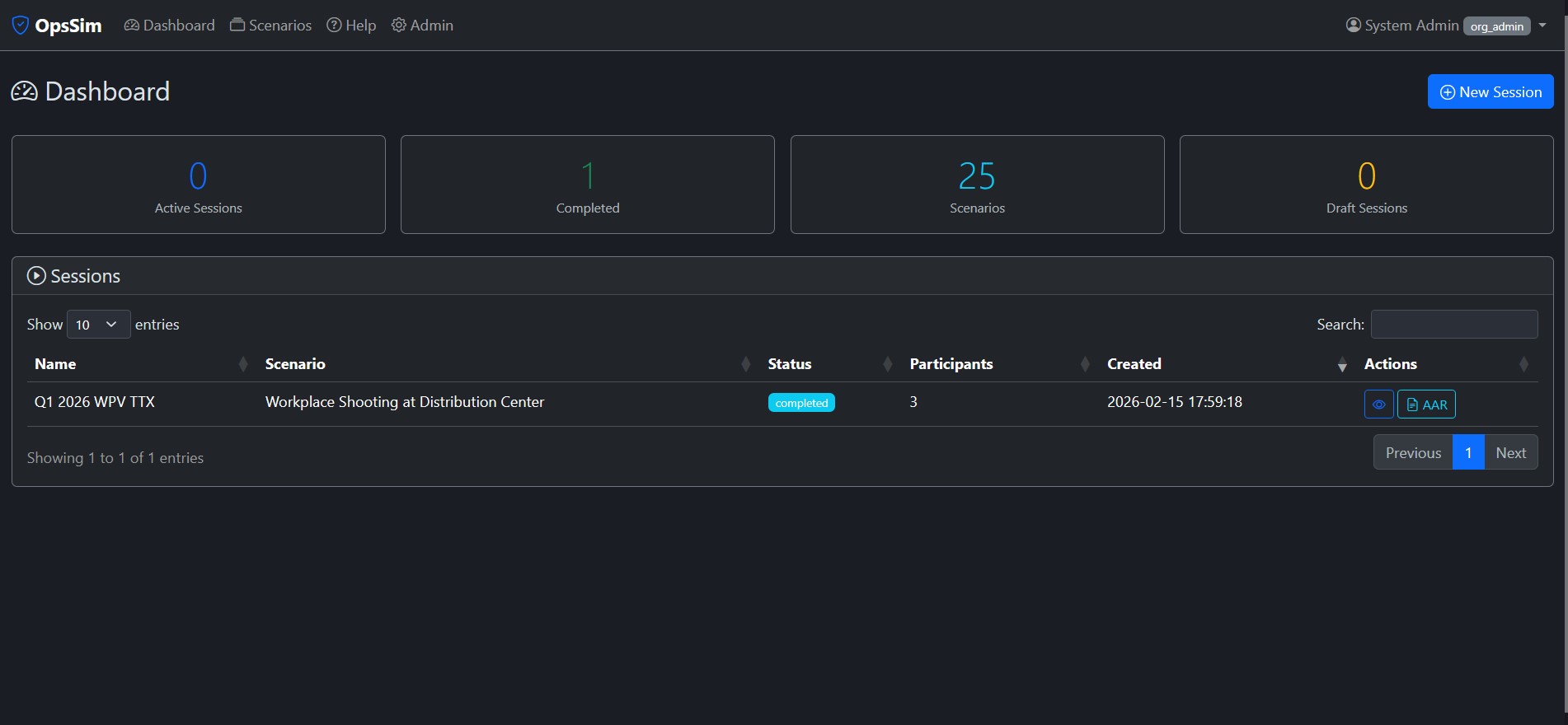
Your dashboard reflects completed exercises with scores, session history, and team readiness metrics. Use this data to identify gaps, schedule follow-up exercises, and demonstrate your security program's maturity to leadership and auditors.
Our scenario library covers the threats that keep security leaders up at night.
Ransomware spreading across the corporate network. 15+ hosts encrypted, ransom demanded. Coordinate SOC response, executive comms, and recovery.
Unauthorized individual in restricted server room. Rogue device detected. Coordinate guards, law enforcement, and IT security response.
Active shooter on the executive floor. SWAT coordination, employee accountability, media management, and post-incident recovery.
Estranged domestic partner arrives at campus making threats. Armed subject in stairwell. Police coordination, lockdown, and de-escalation.
Credible bomb threat with suspicious package found. Building evacuation, bomb squad coordination, and evidence preservation.
Incendiary drones targeting manufacturing and R&D buildings. Fire response, FBI coordination, chemical hazard assessment.
Plus: CEO Residence Duress Alarm, CFO Blackmail, Zero-Click Exploit, Executive Threats, and more. Create unlimited custom scenarios.
From signup to your first exercise in under 30 minutes.
Verify your corporate email, choose your workspace URL, and complete payment. Takes 2 minutes.
You may configure users manually or optionally connect Azure AD or Google Workspace for seamless team login. Auto-provision users from your directory.
Choose from our library of pre-built scenarios or create a custom exercise for your team.
Invite participants, assign roles, and start the simulation. Real-time scoring and AI-driven injects.
One plan. Up to 25 users. Up to 15 per session. No surprises.
30-day money back guarantee. Cancel anytime.
Large organizations often have multiple departments that need independent exercise programs. DrillsForge supports this natively.
IT/Cyber, Corporate Security, Legal, HR — each gets their own isolated workspace with independent users, scenarios, and billing.
acme-cyber.drillsforge.com, acme-legal.drillsforge.com — clean, professional URLs for each department.
Each workspace configures its own secure Azure AD or Google SSO, allowing different security policies per department.
Insights on tabletop exercises, incident response, and crisis preparedness.
Start running professional tabletop exercises in minutes.
Get Started — $799/year30-day money-back guarantee · No commitment